Iiq Aggregation Freshness Radar
IIQ's native Task Results UI is fine when you have a dozen connectors. With 500+ apps and tens of thousands of identities it becomes a needle-in-a-haystack search.
IIQ Aggregation Freshness Radar
A single-pane ops console that surfaces stale, partially-failing, and drifting account aggregations across a 500+ connector SailPoint IdentityIQ estate — in seconds.




The pain
IIQ's native Task Results UI is fine when you have a dozen connectors. With 500+ apps and tens of thousands of identities it becomes a needle-in-a-haystack search. Three failure modes reliably go unnoticed for days — sometimes weeks — and each one corrodes trust in IIQ as the system of record:
- Stale aggregations. A connector silently stops aggregating — the scheduled task is disabled, the credential has rotated, the source endpoint has been decommissioned. The Task Results screen still shows old "Success" rows; nothing screams. By the time a certifier flags missing accounts, weeks have passed.
- Partial failures. A run aggregates 49,800 of 50,000 accounts and exits "Success" with warnings buried in the task XML. Those 200 missed accounts become orphan-or-ghost identities in the next certification.
- Drift. Active Directory says 53,210 enabled users; IIQ's last aggregation captured 53,180. A 0.06% gap is noise — until the same connector drifts 2% next week. Nobody is watching the trend.
This app is the dashboard the operator wishes existed inside IIQ.
What it is
A runnable, single-page web console — open index.html in any modern browser, no build step, no auth, no API keys. It loads sample-data.json (24 synthetic connectors mirroring a realistic IIQ estate — AD, Azure AD/Entra, Okta, Workday, ServiceNow, Salesforce, SAP, GitHub, AWS IAM, Linux/Unix, mainframe, plus a long tail of custom JDBC apps) and renders:
- KPI strip — total connectors, stale (> 48h), partial-failure runs in last 24h, drift > 1%.
- Health filters — All / Green / Amber / Red, plus a free-text search and a category filter (Directory, HRIS, ITSM, SaaS, Cloud, On-prem, Custom).
- Connector list — one row per connector with a colored health badge, last-aggregation timestamp, drift %, and partial-failure ratio.
- Detail panel — click a connector to see its last 10 runs, a duration sparkline (early-warning for slow source systems), a drift gauge, and a partial-failure breakdown by error class.
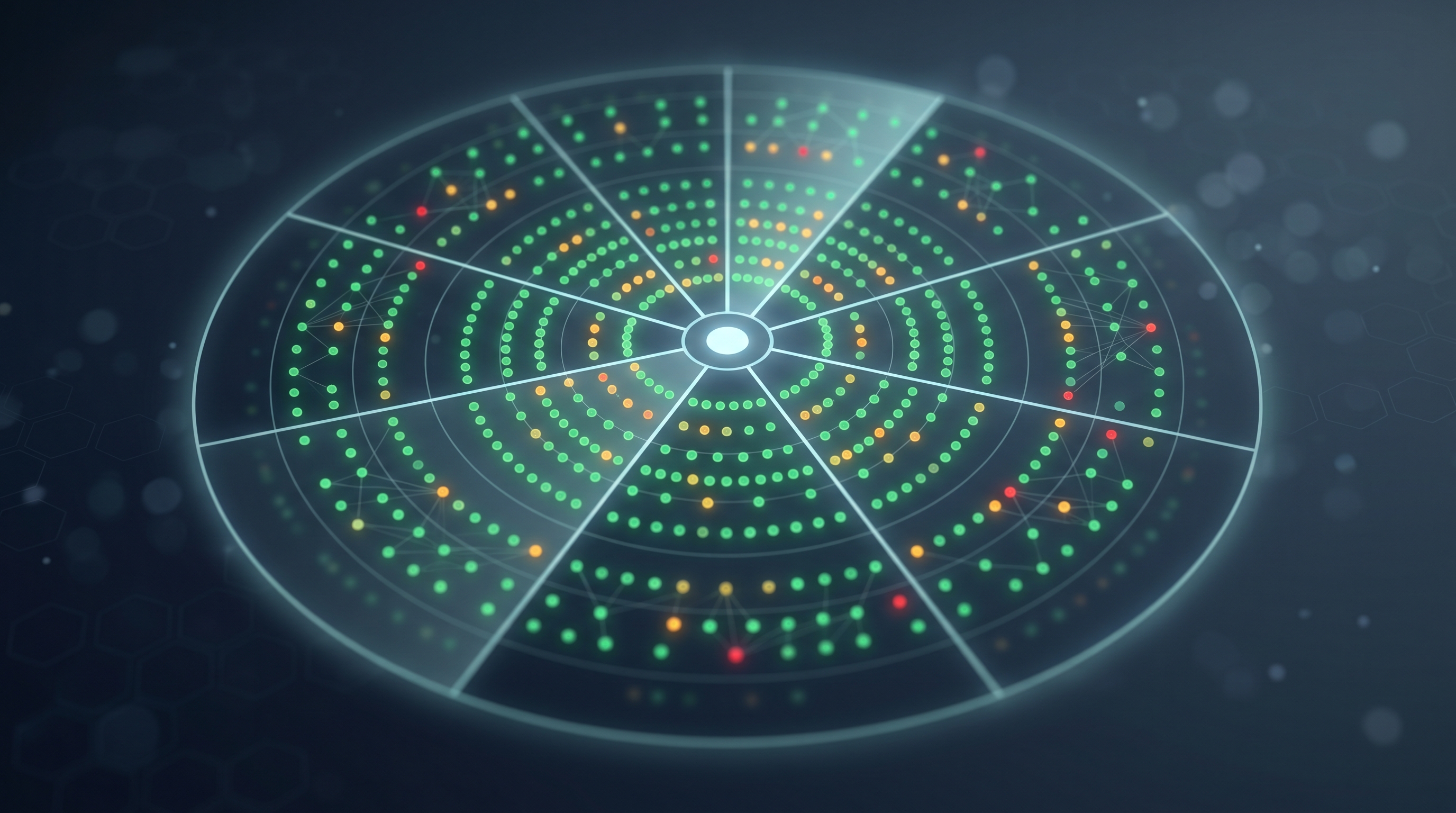
- Radar view — an SVG concept layout that arranges connectors radially by category, sized by identity count, colored by health. Useful for an at-a-glance readout in a NOC or ops review.
Health is computed from a transparent composite:
score = 0.40 * freshness_score
      + 0.30 * drift_score
      + 0.30 * partial_failure_score
Each component is normalized 0–1 so the formula can be tuned in script.js without rewriting the UI.
Why it matters
| Outcome | How this app delivers it |
|---|---|
| Observability | Surfaces three signals (freshness, drift, partial failure) IIQ does not show side-by-side natively. |
| Detect (NIST CSF) | Operationalizes detection of silent connector decay before it becomes an audit finding or a missed deprovisioning. |
| Hours saved | A weekly aggregation health review that takes ~2 hours of Task Results clicking collapses to a 5-minute scan. |
| Audit posture | "Show me how you know IIQ is current" becomes a screenshot, not a panic. |
How to run
# Just open the file. No npm, no build, no server.
start index.html         # Windows
open  index.html         # macOS
xdg-open index.html      # Linux
If your browser blocks fetch('sample-data.json') from file://, serve the folder with any static server:
python -m http.server 8765
# then visit http://localhost:8765
Path to production
This is a prototype with synthetic data. To make it real:
- Backend. A small read-only service that calls IIQ's
/identityiq/rest/tasks(or queries thespt_task_resultandspt_identity_requesttables directly) on a 5-minute schedule and caches normalized health metrics in Postgres or Redis. - Drift source. Per connector, register a "source-of-truth count" probe —
Get-ADUser -Filter 'Enabled -eq $true' | Measure-Objectfor AD,users.listfor Okta, etc. Compare to the last aggregation's link count. - Auth. SAML/SSO behind your standard IAM admin role (
Identity IQ Administratoror a custom capability). - Alerting. Wire amber/red transitions to ServiceNow / PagerDuty / Slack via the existing IIQ workflow that already issues notifications — reuse, don't reinvent.
- History. Persist daily snapshots so the radar can replay "what did the estate look like last Tuesday?" — invaluable in incident reviews.
Files
| File | Purpose |
|---|---|
README.md |
This document. |
metadata.md |
Provenance — type, theme, model, generation date. |
cover-image.png |
Concept-art card cover (16:10, no text). |
requirements.md |
Functional requirements + user stories + out-of-scope notes. |
index.html |
Single-page entry point. |
style.css |
Dark, ops-console styling. |
script.js |
Vanilla-JS rendering, scoring, filtering, and the SVG radar. |
sample-data.json |
24 synthetic IIQ-shaped connectors with realistic drift/freshness/error distributions. |
Caveats
- Synthetic data only. Numbers are illustrative; the drift gauge does not reflect any real environment.
- No network calls. The prototype is intentionally air-gapped to prove the value before any backend lift.
- Vanilla JS, no framework. One file per concern, no build chain — matches the IAM-Ideas runnable-from-
file://rule.
Requirements
Requirements — IIQ Aggregation Freshness Radar
Goal
Give an IAM operator a one-screen view of every connector in the SailPoint IdentityIQ estate, ordered and filtered by aggregation health, with enough drill-down to decide what to fix next.
Primary user
IAM Operations Engineer. Owns the daily/weekly health of IIQ aggregations. Today they triage by clicking through Task Results in the IIQ admin console; tomorrow they want one URL.
Secondary users
- IAM Lead / Manager — needs the radar view in weekly ops reviews.
- Audit / GRC partner — needs evidence that connectors are current ahead of certification campaigns.
- On-call — wants amber/red transitions to page them, not silently sit in a UI.
User stories
| # | As a… | I want… | so that… |
|---|---|---|---|
| 1 | IAM Ops Engineer | a single page listing every connector with a Green / Amber / Red badge | I can triage in seconds, not 45 minutes |
| 2 | IAM Ops Engineer | to filter by category (Directory, HRIS, ITSM, SaaS, Cloud, On-prem, Custom) | I can scope by ownership during incidents |
| 3 | IAM Ops Engineer | to see hours since last successful aggregation per connector | I can spot stale connectors immediately |
| 4 | IAM Ops Engineer | to see source-vs-IIQ drift (%) per connector | I know when to investigate before drift becomes an audit finding |
| 5 | IAM Ops Engineer | to see partial-failure rate per connector for the most recent run | I catch silent skips that the "Success" status hides |
| 6 | IAM Ops Engineer | to see the last 10 runs as a duration sparkline | I notice creeping slowdowns before they become outages |
| 7 | IAM Lead | a radar SVG view grouped by category, sized by identity count | I have a one-screenshot artifact for ops reviews |
| 8 | IAM Lead | a transparent health-score formula visible in the source | I trust the colors and can defend them |
| 9 | Auditor | a clear definition of "current" per connector with a timestamp | I can write the control description without ambiguity |
| 10 | Operator | the page to load in < 1 second from file:// |
I can ship this as a single static asset behind SSO when ready |
Functional requirements
FR-1 — Data load
- The app reads
sample-data.jsonon load viafetch(). Iffetch()fromfile://fails, the app falls back to an inline copy embedded inscript.jsso the prototype never appears empty.
FR-2 — KPI strip
- Total connectors.
- Stale connectors (hours since last success > 48).
- Connectors with a partial-failure run in the last 24h.
- Connectors with drift > 1%.
- Each KPI is clickable and applies that filter to the connector list.
FR-3 — Connector list
- Sortable by name, category, hours since last success, drift %, partial-failure %.
- Default sort: health score ascending (worst first).
- Each row shows: badge (G/A/R), name, category, last-success timestamp (relative + absolute on hover), drift %, partial-failure %, identity count.
- Free-text search filters by name and category.
FR-4 — Detail panel
- Opens on row click.
- Shows: connector metadata (name, category, owner team, identity count), last 10 runs (start, duration, status, accounts processed, accounts skipped), drift gauge, duration sparkline.
- Lists the partial-failure breakdown by error class for the most recent run (e.g.,
LDAP timeout,Schema mismatch,Filter evaluation error).
FR-5 — Radar view
- An SVG view toggleable from the top-right.
- Connectors arranged radially in 7 category sectors (Directory, HRIS, ITSM, SaaS, Cloud, On-prem, Custom).
- Each connector is a circle: radius proportional to log(identity count), fill color from the health score, stroke for category.
- Hovering a circle shows a tooltip with name, hours since last success, and drift %.
FR-6 — Health score
- Composite formula:
freshness_score = clamp(1 - hours_since_success / 168, 0, 1)(week-old = 0)drift_score = clamp(1 - drift_pct / 0.05, 0, 1)(5% = 0)partial_failure_score = clamp(1 - partial_failure_pct / 0.05, 0, 1)(5% = 0)score = 0.40 * freshness + 0.30 * drift + 0.30 * partial_failure
- Badge thresholds:
score >= 0.80Green,score >= 0.55Amber, otherwise Red. - Constants live at the top of
script.jsso an operator can re-tune without rewriting the UI.
FR-7 — Visual style
- Dark ops-console palette (slate / zinc background, emerald / amber / rose for badges).
- System font stack — no remote font requests.
- No frameworks. No remote scripts. No analytics beacons.
Non-functional requirements
| ID | Requirement |
|---|---|
| NFR-1 | Single-page, opens from file://. No build step. |
| NFR-2 | First render < 1 second on a mid-range laptop. |
| NFR-3 | Zero outbound network requests at runtime. |
| NFR-4 | Works in current Chrome, Edge, Firefox, Safari. |
| NFR-5 | Source files are readable on a 13" laptop screen without horizontal scroll. |
| NFR-6 | All data is synthetic and clearly labeled as such. |
Out of scope
- Real IIQ REST calls.
- Authentication and authorization.
- Persistent state across reloads.
- Mobile / small-screen layout.
- Charting libraries (the sparkline and gauge are vanilla SVG).
- Internationalization.
Acceptance criteria
- Opening
index.htmlfromfile://(or viapython -m http.server) renders the dashboard with 24 connectors loaded. - Clicking any KPI applies the correct filter to the list.
- Clicking any connector opens the detail panel populated with that connector's runs.
- Toggling Radar mode renders an SVG with circles in 7 category sectors.
- Adjusting the weights at the top of
script.jsand reloading changes the badge colors and the sort order. - No console errors on load.
More from IAM Ideas